Vomidi
Hum the idea before it disappears. Vomidi turns your voice into a MIDI clip you can drop on any instrument.
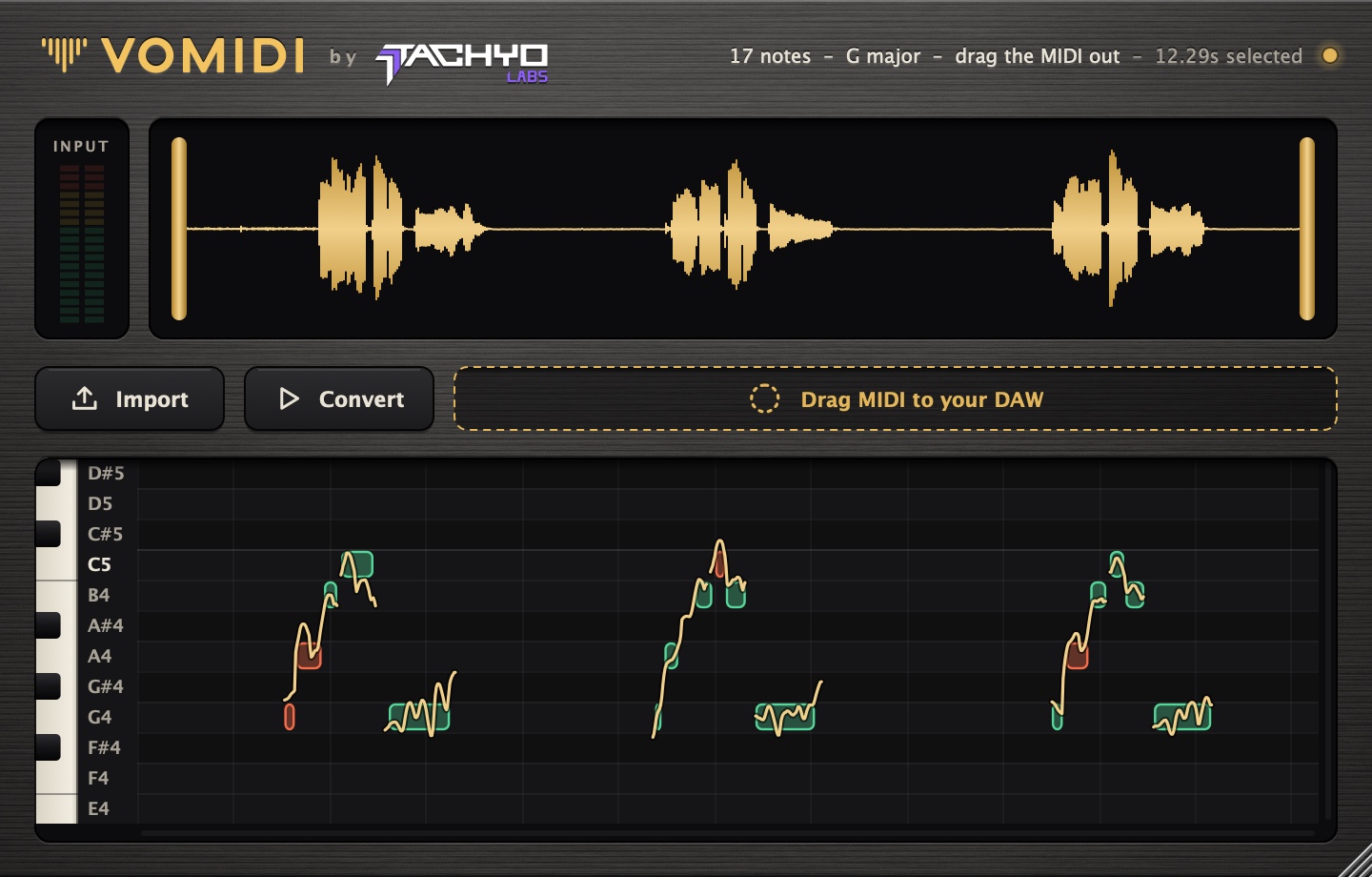
Put Vomidi on an audio track and hum or sing into it, or import a voice memo. It writes the notes as MIDI, in key, keeping your timing. Notes it's sure about show green. Notes you sang between two pitches show red, so you know exactly which ones to check.
Built for real voices
Pitch detection is written from scratch for hummed and sung takes, breaths and wobble included, and tuned on real voice memos rather than test tones.
Green means sure, red means check
Every note is scored. Notes sung near the line between two semitones are marked red, so you fix two notes instead of auditioning twenty.
MIDI straight to your DAW
Drag the finished clip onto any track. The key is detected for you. In DAWs that take MIDI from an effect, Vomidi also plays its notes live, in time with your project.
| Type | Audio effect with a MIDI output |
|---|---|
| Mac | VST3, Audio Unit and a standalone app. macOS 10.15 or later, Apple Silicon and Intel. |
| Windows | VST3 and a standalone app. Windows 10 or later, 64-bit. |
| Input | The track's audio, live, or an imported file: WAV, AIFF, FLAC, MP3 or Ogg, and iPhone voice memos on Mac |
| Detects | Notes, the key, and how sure it is of each note |
| Output | A MIDI clip to drag into your DAW, and live MIDI out |
| License | One serial for up to 3 computers, Mac and Windows mixed. Free updates for every 1.x version. |
Does it work with chords?
No. Vomidi follows one voice, one note at a time. That's what a hummed idea is.
Which DAWs does it work in?
Vomidi is a VST3 and Audio Unit effect, so it loads in DAWs such as Ableton Live, FL Studio, Logic Pro, Reaper, Bitwig and Studio One. Dragging the finished clip onto a track works in all of them. Playing Vomidi's notes live needs a DAW that can take MIDI from an effect.
The free trial is the best way to check it in yours.
Is there a Pro Tools (AAX) version?
Not yet.
What happens when the trial ends?
Vomidi still opens and shows its notes, so your saved sessions don't break. Playing the MIDI, dragging it out and exporting it stop until you enter a serial number.
Does it need the internet?
Once per computer, to activate. After that Vomidi works offline. When your computer is online anyway, it rechecks its license about once a month.
Can I record ideas on my phone?
Yes. Click Phone in Vomidi to link the free Vomidi web app on your phone. Takes you record there show up in the plugin, end-to-end encrypted on the way.